How Embedded Booking Widgets Are Ruining Your Small Business SEO (And How to Fix It)
Embedded booking widgets make scheduling easy, but they might be destroying your local search rankings. Here is why Google hates iframes and how to fix your service pages.
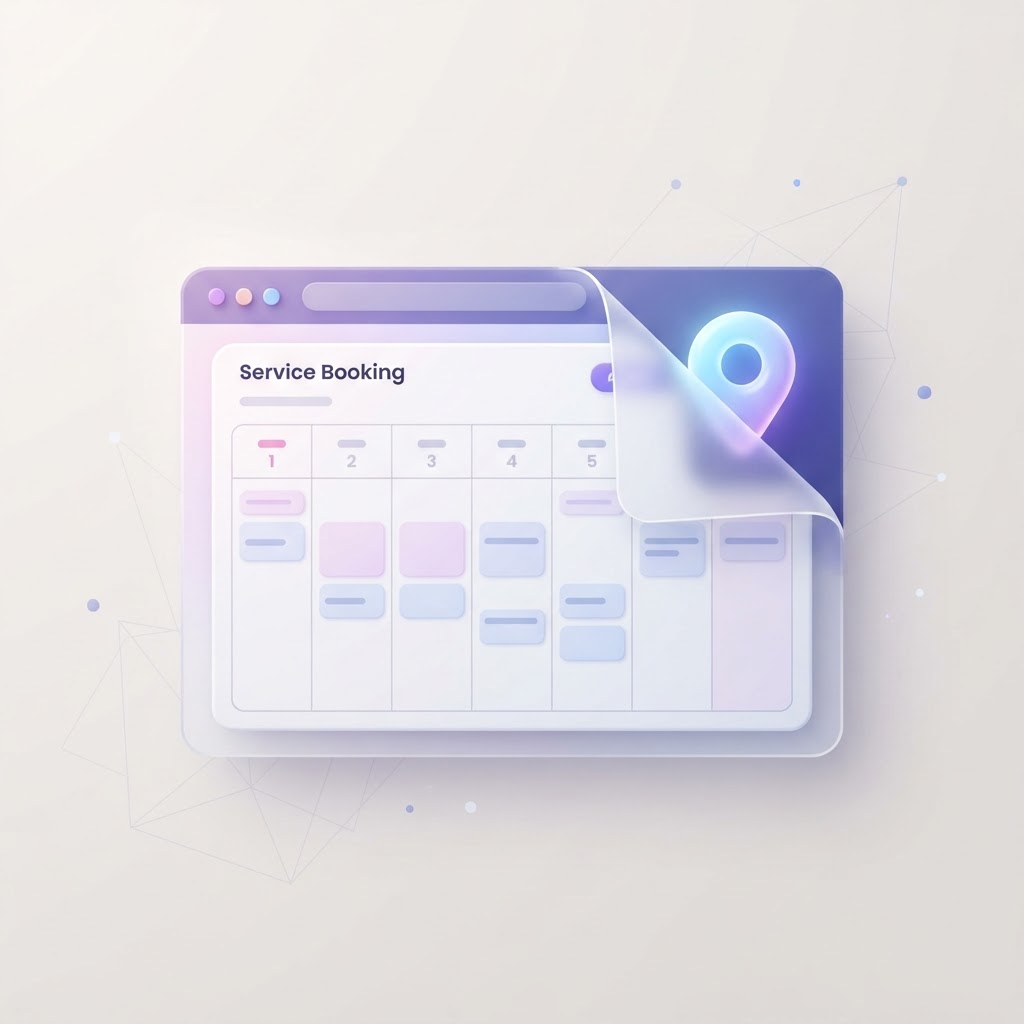
You just upgraded your salon, consulting firm, or contracting website with a beautiful, embedded booking widget. Customers can finally see your full menu of services, read descriptions, check prices, and book an appointment without calling you. It feels like a massive operational win.
Then, a few months later, you check your Google traffic. Your rankings have tanked. Your service pages are nowhere to be found.
Wondering whether speed is affecting your website?
See exactly which performance issues are slowing your site down — and how to fix them — in a free InspectRank report.
Get My Free ReportThe culprit? That exact same booking widget.
Third-party scheduling tools—like Calendly, Mindbody, Vagaro, Acuity, or Jobber—are incredible for business operations. But when you embed their full service menus directly onto your website, you are actively sabotaging your local search visibility. Here is the candid truth about how booking widgets ruin small business SEO, and the exact steps to fix your website without losing the convenience of online scheduling.
The Core Problem: What Google Actually Sees
To understand why booking widgets destroy SEO, you have to understand how they are built. Most third-party schedulers use an iframe (Inline Frame) or a JavaScript embed to display their software on your website.
An iframe is essentially a window cut into your webpage that looks at another website. When a customer reads your "Deep Tissue Massage" description inside the widget, they feel like they are on your website. But technically, that text lives on the booking software's servers.
Visual Concept: The Iframe Black Box
Imagine a side-by-side comparison graphic. On the left: "What You See" showing a beautifully formatted list of services, prices, and descriptions. On the right: "What Google Sees" showing a blank grey box with a single line of code pointing to a third-party URL. Caption: Search engines attribute iframe content to the source domain, leaving your local page with zero context.
As Boostability notes in their technical breakdown of iframes, Google has gotten better at crawling embedded content, but the primary SEO benefit of that content goes to the source URL, not the page embedding it. You are displaying the content, but you do not "own" it in Google's eyes.
3 Ways Booking Widgets Destroy Local SEO
1. They Create "Thin Content" Pages
Many small business owners create a "Services" page, drop the widget embed code onto it, and call it a day. Because Google attributes the text inside the widget to the booking platform, your actual webpage has almost zero native text.
To Google, your page is completely blank. It has no idea what services you offer, where you are located, or why you are an authority. Pages with no native text are classified as "thin content" and are routinely ignored by search engines.
2. They Sabotage Your Page Speed
Booking widgets are heavy. They require multiple third-party scripts, external stylesheets, and database calls to load availability in real-time. Every time a user visits your page, their browser has to download your website, and then download the booking software's website inside of it.
This drastically increases your load times and ruins your Core Web Vitals. A slow website doesn't just frustrate mobile users; page speed impacts SEO directly, acting as a negative ranking factor for local search.
Wondering whether speed is affecting your website?
See exactly which performance issues are slowing your site down — and how to fix them — in a free InspectRank report.
Get My Free Report3. Keyword Cannibalization and URL Hijacking
If your booking platform hosts a public directory (like Vagaro or Mindbody), the detailed service descriptions you wrote inside their software are indexed on their domain. Because their domain has massive authority, their directory listing for your business will often outrank your actual website.
You end up competing against your own software provider for your brand name and local keywords.
How to Fix It: The Right Way to Use Schedulers
You do not need to cancel your scheduling software. You just need to change how it interacts with your website. The goal is to decouple your marketing content from your booking action.
Step 1: Build Native Service Pages
Take all the descriptions, pricing, and FAQs out of your booking software and write them directly onto your website using standard text (HTML). If you offer five core services, you should write high-converting local service pages for each one.
Google can now crawl, read, and index your expertise. Your website gets the credit for the content.
Step 2: Switch from Full Embeds to Buttons
Instead of embedding the entire widget on the page, use a simple, native "Book Now" button. When a user clicks the button, you have two SEO-friendly options:
- The Modal Pop-up: The button triggers a lightweight JavaScript modal (a pop-up window) that loads the booking widget only after the user clicks. This keeps your initial page load lightning fast.
- The Dedicated Booking Page: The button links to a separate
/book-nowpage on your site where the widget lives, or links directly to your white-labeled booking URL.
Step 3: Optimize the Booking Flow
As TourAmigo highlights in their guide to booking pages, separating your brand experience from your booking flow allows you to capture organic demand first, and process the transaction second. Your native pages rank for the keywords, and the widget handles the logistics.
Comparing Booking Integration Methods
| Integration Method | SEO Impact | Page Speed Impact | Recommendation |
|---|---|---|---|
| Full Page Iframe Embed | Terrible (Thin Content) | Severe (Heavy Scripts) | Avoid. Hides your content from Google. |
| Button to Pop-up Modal | Excellent (Native Content) | Minimal (Loads on Click) | Best for most small businesses. |
| Direct API Integration | Perfect (Full Control) | Fastest | Ideal, but requires custom development. |
The Takeaway
Your booking widget is a cash register, not a marketing strategy. You wouldn't put a cash register on the sidewalk and expect it to attract customers; you build a beautiful storefront first.
Stop letting third-party software steal your search rankings. Move your service descriptions back to your native website, replace heavy embeds with fast-loading buttons, and watch your local search traffic return. If you aren't sure how much damage your current setup is causing, an InspectRank technical audit can show you exactly what Google is (and isn't) seeing on your pages.
Sources & references
See what InspectRank finds on your website
Get a clear report covering website SEO, technical health, local visibility and AI search readiness.
Get My Free ReportRelated guides
Testimonial Page SEO: How to Structure Customer Success Stories for Google
Stop hiding your best customer success stories on a generic page. Learn how to structure your testimonial page for SEO, E-E-A-T, and higher conversions.
PDF SEO: How to Optimize Menus, Guides, and Whitepapers for Google
Google indexes PDFs, but they often create terrible mobile experiences. Learn how restaurants, retailers, and B2B consultants can optimize PDFs for search visibility.
How to Track Website Form Submissions and Button Clicks in GA4
Stop guessing if your website is generating leads. Learn how small businesses can accurately track form submissions and button clicks in GA4 using Enhanced Measurement and Google Tag Manager.
Core Web Vitals for Small Businesses: A Jargon-Free Guide to Passing Google's Test
A jargon-free guide to understanding Google's Core Web Vitals. Learn what LCP, INP, and CLS mean, how they impact your search rankings, and how to fix them without a developer.

Website Trust Signals: How to Turn Local Search Traffic Into Paying Customers
Ranking on Google isn't enough if your website doesn't convert. Learn how local businesses use website trust signals to turn search traffic into paying customers.